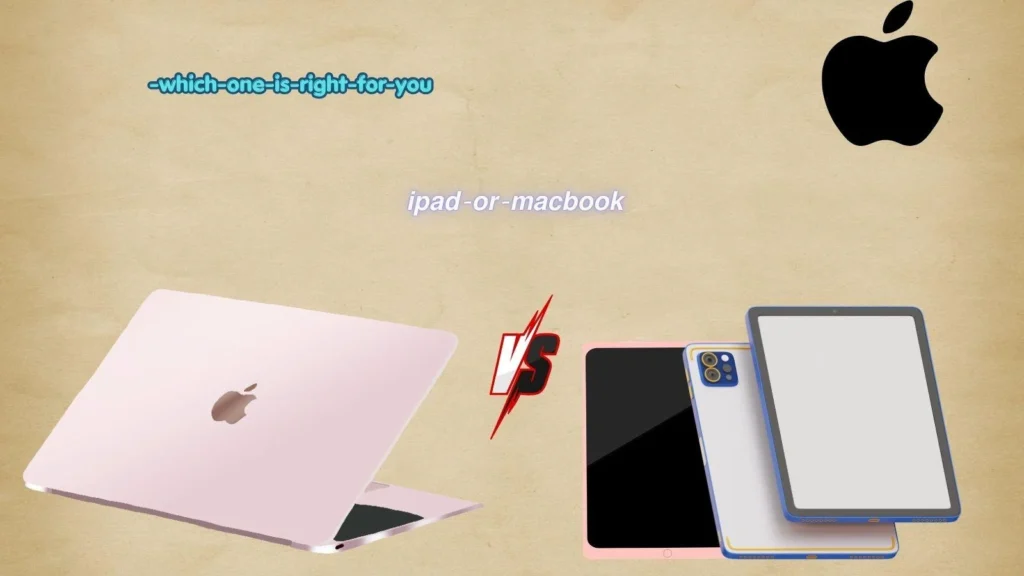
Choosing between an iPad or MacBook can be confusing. Both are made by Apple, both have powerful processors, and both can handle everyday tasks such as browsing the web, watching videos, writing documents, and joining online meetings. Yet they are designed for different kinds of work.
People search for “iPad or MacBook” because they want to know which device offers better value, portability, productivity, and ease of use. A student may want something light for taking notes. A professional may need a full computer for work. A creative user may want a touchscreen and Apple Pencil support. Others simply want to know whether an iPad can replace a laptop.
The answer depends on how you plan to use the device. An iPad is closer to a large, portable tablet, while a MacBook is a traditional computer with macOS. An iPad can become more laptop-like with a keyboard, but it does not work exactly like a MacBook.
This guide explains the main differences between an iPad or MacBook, including operating systems, performance, portability, software, accessories, pricing, and everyday use.
iPad or MacBook – Quick Answer
Choose an iPad if you want:
- A lightweight and highly portable device
- A touchscreen
- Apple Pencil support
- Easy note-taking and drawing
- Media consumption
- Casual browsing
- Tablet apps and games
- A simple device for school or travel
Choose a MacBook if you want:
- A traditional laptop experience
- macOS desktop software
- Better multitasking for many workflows
- A built-in keyboard and trackpad
- Professional applications
- Easier file management
- Longer desktop-style work sessions
- A computer for programming or advanced productivity
Quick Comparison
| Feature | iPad | MacBook |
|---|---|---|
| Form | Tablet | Laptop |
| Touchscreen | Yes | No |
| Apple Pencil | Supported on compatible models | No |
| Keyboard | Optional | Built in |
| Operating system | iPadOS | macOS |
| Portability | Excellent | Very good |
| Desktop software | More limited | Extensive |
| Note-taking | Excellent | Good |
| Drawing | Excellent | Requires external input device |
| Multitasking | Good | Excellent |
| Professional workflows | Depends on software | Generally more flexible |
The simplest rule is this: iPad for touch, portability, and tablet use; MacBook for traditional computer work.
The Origin of iPad or MacBook
The terms iPad and MacBook are product names created by Apple rather than alternative spellings of the same word.
The iPad name combines Apple’s familiar lowercase “i” branding with “Pad,” suggesting a digital pad or tablet. Apple introduced the original iPad in 2010.
The MacBook name combines Mac, Apple’s long-running name for its Macintosh computers, with Book, referring to a portable computer.
The first MacBook models appeared in 2006. Apple later developed different MacBook lines, including the MacBook Air and MacBook Pro.
Because iPad and MacBook are brand names, there is no British-versus-American spelling difference between them. The same names are generally used in the United States, United Kingdom, Canada, Australia, and other English-speaking markets.
This is important because the keyword “iPad or MacBook” is not a spelling question. It is a product comparison question.
British English vs American English Spelling
There is no meaningful British English versus American English spelling difference between iPad and MacBook.
Apple uses these official product names internationally:
- iPad
- MacBook
- MacBook Air
- MacBook Pro
You should normally keep the capitalization and spacing used by Apple when writing about these products.
Comparison Table
| Term | American English | British English | Correct Form |
|---|---|---|---|
| iPad | iPad | iPad | iPad |
| MacBook | MacBook | MacBook | MacBook |
| MacBook Air | MacBook Air | MacBook Air | MacBook Air |
| MacBook Pro | MacBook Pro | MacBook Pro | MacBook Pro |
| iPad Pro | iPad Pro | iPad Pro | iPad Pro |
Unlike words such as color/colour or organize/organise, these product names do not normally change according to regional English spelling.
Which Spelling Should You Use?
Use iPad and MacBook regardless of whether your audience is American, British, Australian, Canadian, or international.
For professional writing, follow Apple’s capitalization:
- Correct: iPad
- Correct: MacBook
- Correct: MacBook Air
- Correct: MacBook Pro
- Less appropriate: ipad
- Less appropriate: macbook
If you are writing an SEO article, product review, comparison page, or buying guide, using the official names is also helpful because readers commonly search for the products using those names.
For global audiences, “iPad or MacBook” is clear and natural.
Common Mistakes with iPad or MacBook
1. Writing “ipad”
The official brand name is iPad, with a lowercase “i” and uppercase “P.”
Incorrect: ipad
Correct: iPad
2. Writing “Macbook”
The official name is MacBook, with a capital “M” and “B.”
Incorrect: Macbook
Correct: MacBook
3. Assuming an iPad is simply a touchscreen MacBook
An iPad and MacBook can share some hardware technologies and apps, but they use different operating systems.
iPad: iPadOS
MacBook: macOS
4. Assuming an iPad always replaces a laptop
An iPad can replace a laptop for some users, but not all workflows.
Someone who mainly browses, writes notes, watches videos, and uses cloud applications may find an iPad sufficient. A programmer or professional using specialized desktop software may prefer a MacBook.
5. Ignoring the keyboard
A standard iPad does not include a built-in keyboard. Adding a keyboard can make it much more suitable for writing and productivity, but it also changes the total cost and setup.
iPad or MacBook in Everyday Examples
In an Email
“I’m deciding between an iPad or MacBook for university.”
Here, the writer is asking which device better suits their needs.
In News
“Apple continues to develop both iPad and MacBook products.”
The product names should retain their official capitalization.
On Social Media
“Should I buy an iPad or MacBook for college?”
This is a common way to ask for practical buying advice.
In Formal Writing
“The iPad provides a portable touchscreen experience, while the MacBook offers a traditional desktop operating system.”
This style works well in reports, reviews, and comparison articles.
In a Product Review
“The iPad is convenient for reading and handwritten notes, while the MacBook is better suited to desktop productivity.”
The comparison should focus on the user’s specific needs rather than assuming one device is better for everyone.
iPad or MacBook – Google Trends & Usage Data
Search interest for “iPad or MacBook” can vary based on factors such as product launches, back-to-school periods, holiday shopping, and new hardware releases.
Google Trends is useful for comparing search interest across countries and time periods. However, Google Trends reports relative search interest, not the actual number of devices sold or the total number of users.
Search behavior can also vary by context.
For example:
- Students may search for “iPad or MacBook for college.”
- Professionals may search for “iPad or MacBook for work.”
- Artists may search for “iPad or MacBook for drawing.”
- Travelers may search for “iPad or MacBook for travel.”
- Writers may search for “iPad or MacBook for writing.”
Because the keyword describes a buying decision rather than a spelling problem, search intent is usually focused on features, performance, price, portability, and software compatibility.
iPad vs MacBook: Main Differences
| Category | iPad | MacBook |
|---|---|---|
| Portability | Extremely portable | Portable |
| Touch | Touchscreen | Trackpad |
| Keyboard | Usually optional | Built in |
| Software | iPadOS apps | macOS applications |
| Drawing | Excellent with Apple Pencil | Not designed primarily for touch drawing |
| File management | Improved but more tablet-focused | Traditional desktop workflow |
| Multitasking | Strong for a tablet | Strong for desktop workflows |
| Video watching | Excellent | Excellent |
| Web browsing | Excellent | Excellent |
| Long typing sessions | Better with keyboard accessory | Excellent |
| Programming | More limited | Better suited to many development workflows |
| Creative work | Strong for supported apps | Strong for professional desktop software |
| Gaming | Strong mobile/tablet selection | Different desktop game ecosystem |
| Travel | Very convenient | Convenient |
| Laptop replacement | Depends on user | Yes, as a full laptop |
Which Is Better for Students?
An iPad can be attractive for students who value handwritten notes, portability, reading, presentations, and media.
A MacBook may be more useful for students who regularly write long papers, use desktop applications, program, manage many browser windows, or need traditional computer software.
The right choice depends on the student’s course requirements.
For example, a student studying art may value the iPad’s touchscreen and stylus support. A computer science student may need the broader desktop environment available on a MacBook.
Which Is Better for Work?
For office work, both devices can handle many common tasks.
An iPad can work well for:
- Video meetings
- Documents
- Presentations
- Web applications
- Reading
- Note-taking
A MacBook is generally more flexible when work involves:
- Multiple desktop applications
- Advanced file management
- Programming
- Professional software
- Large numbers of windows
- Long typing sessions
If your job requires specific macOS software, check software compatibility before choosing an iPad.
Which Is Better for Travel?
An iPad can be easier to carry because of its tablet design and low weight in many configurations.
It is useful for:
- Watching movies
- Reading books
- Browsing
- Taking notes
- Video calls
- Checking email
A MacBook is still highly portable and provides a more complete computer experience.
If your travel needs are mainly entertainment and light tasks, an iPad may be enough. If you need to work during your trip, a MacBook may provide a more familiar setup.
FAQs About iPad or MacBook
1. Is an iPad better than a MacBook?
Neither is universally better. An iPad is designed around a tablet experience, while a MacBook is a traditional laptop. Your choice should depend on your software and workflow needs.
2. Can an iPad replace a MacBook?
For some users, yes. An iPad can replace a laptop for browsing, note-taking, email, documents, entertainment, and other everyday tasks. More demanding desktop workflows may require a MacBook.
3. Is an iPad good for studying?
Yes. An iPad can be useful for reading, note-taking, research, video lessons, documents, and presentations. A compatible Apple Pencil can also make handwritten notes convenient.
4. Is a MacBook better for work?
A MacBook can be better suited to work that requires desktop software, extensive multitasking, programming, or advanced file management.
5. Which is better for drawing, iPad or MacBook?
An iPad is usually the more natural choice for direct drawing because compatible iPads support Apple Pencil and touchscreen interaction.
6. Is MacBook easier for typing?
For long typing sessions, a MacBook’s built-in keyboard provides a more traditional laptop experience. An iPad can also be used for typing with a compatible keyboard.
7. Should I buy an iPad or MacBook for college?
Consider your course requirements first. Choose an iPad if you value portability, handwriting, and tablet features. Consider a MacBook if you need desktop software, programming tools, or extensive multitasking.
Conclusion
The choice between an iPad or MacBook comes down to how you plan to use the device. An iPad offers a flexible tablet experience with a touchscreen, strong portability, and support for Apple Pencil on compatible models. It can be excellent for students, readers, travelers, artists, and people who mainly perform light or tablet-friendly tasks.
A MacBook provides a traditional laptop experience with macOS, a built-in keyboard and trackpad, and access to a broad range of desktop software. It can be a better fit for professional work, programming, long writing sessions, and workflows that depend on desktop applications.
There is also no British-versus-American spelling issue with iPad or MacBook. These are Apple product names, so their official capitalization should normally be retained in professional and online writing.
The best choice is therefore based on your software needs, preferred input method, portability requirements, and budget. Think about what you do every day, then choose the device that fits that workflow.